
The D.E.B.U.G Framework
A mental model for junior and senior engineers to debug efficiently under pressure.

There’s a moment every engineer knows too well.
Production is down. Slack is blowing up. Your manager is asking for an ETA. And you’re staring at thousands of lines of code, unsure where to even begin.
I’ve been there more times than I’d like to admit. After spending years of debugging everything from race conditions to “it works on my machine” mysteries, this mental framework helps in debugging in a systematic approach.
I call it the D.E.B.U.G Framework.
It’s not about tools or languages. It’s about disciplined thinking when everything is on fire.
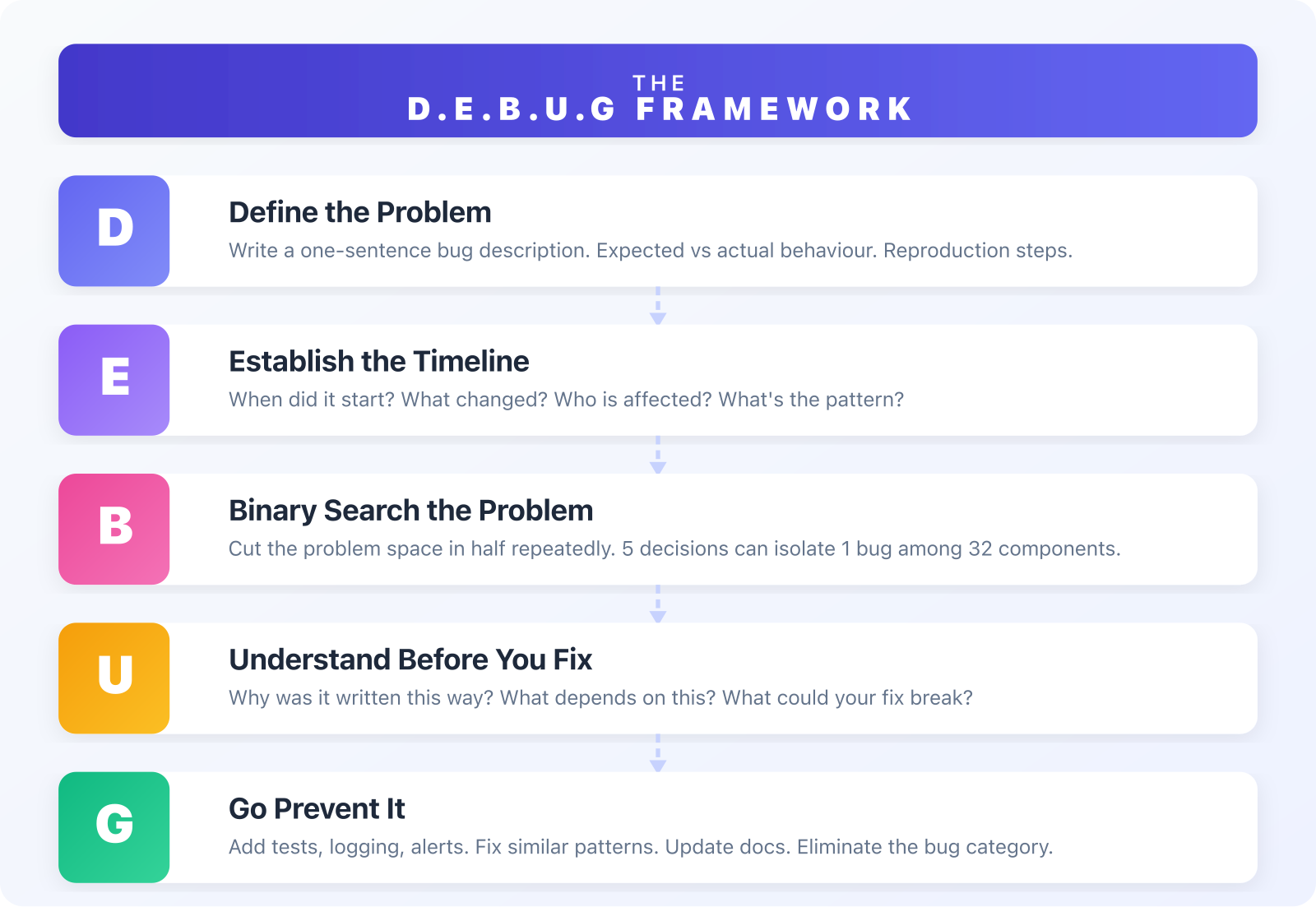
D — Define the Problem
Before you touch any code, answer three questions:
What is the expected behavior?
What is the actual behavior?
Can you reproduce it consistently?
This sounds obvious, but I’ve watched engineers spend hours debugging the wrong problem because they skipped this step.
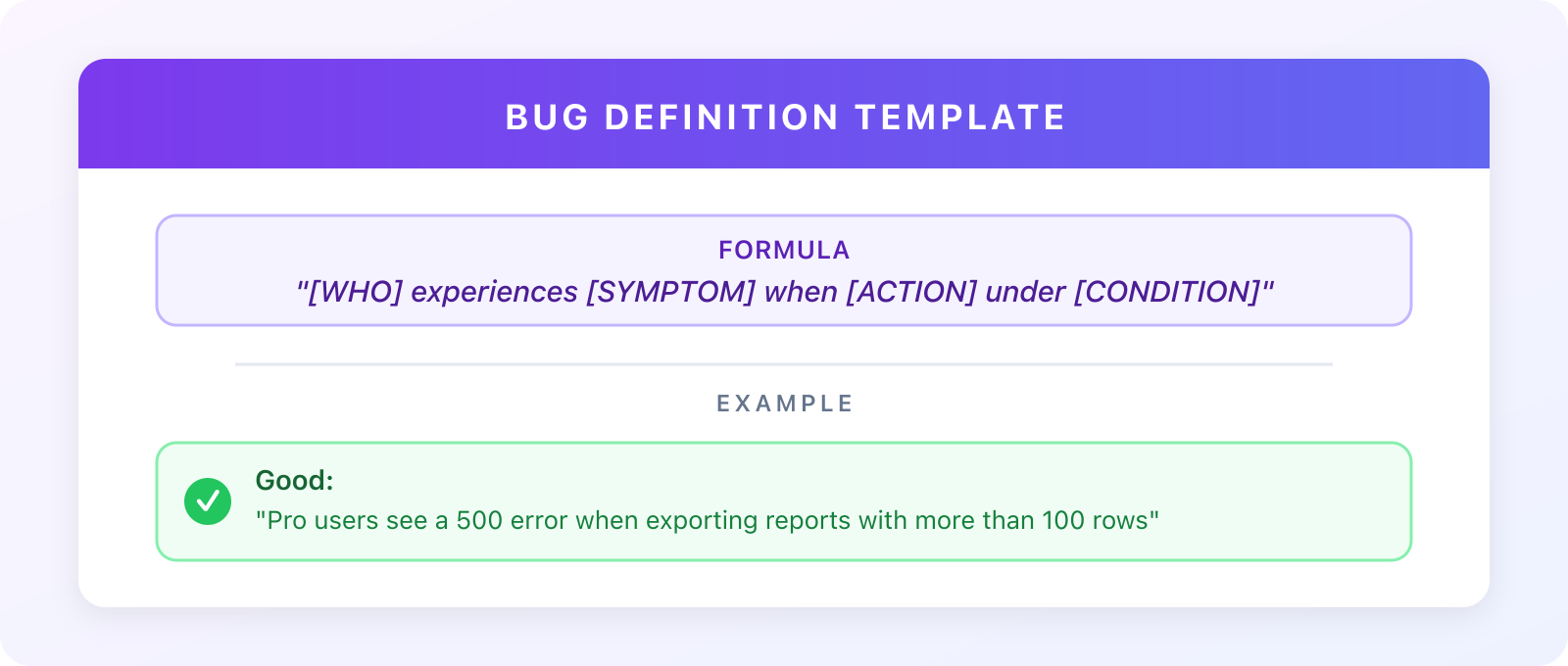
The One-Sentence Test
If you can’t explain the bug in one sentence, you’re not ready to fix it.
Bad: “The app is broken.”
Good: “Users on the Pro plan are seeing a 500 error when clicking ‘Export to PDF’ on reports with more than 100 rows.”
The second description tells you:
Who is affected (Pro plan users)
What action triggers it (Export to PDF)
What the symptom is (500 error)
A potential pattern (100+ rows)
Quick Exercise
Before your next debugging session, write down your one-sentence bug description. If it has vague words like “sometimes,” “randomly,” or “broken,” dig deeper before proceeding.
E — Establish the Timeline
Bugs don’t appear from nowhere. Something changed.
Your job is to find out what.
The Four Questions
Ask these in order:
When did this start happening?
What changed around that time?
New deployment?
Config change?
Database migration?
Dependency update?
Upstream service change?
Who is affected?
All users or a subset?
Specific region or device?
What’s the pattern?
Every time or intermittent?
Time-based? Load-based?
Pro Tip: Git is Your Friend
# Find commits between when it worked and when it broke
git log --oneline --after="2024-01-15" --before="2024-01-17"

# See what files changed in a specific commit
git show --stat <commit-hash>

# Search commit messages for keywords
git log --grep="export" --oneline
80% of bugs are solved by answering “what changed?”
I’m not exaggerating. Most debugging time is wasted because engineers skip this step and dive straight into code.
B — Binary Search the Problem
Don’t read code line by line. That’s slow and mentally exhausting.
Instead, cut the problem space in half repeatedly.
The Binary Search Approach
Questions to Cut the Problem in Half
Is the bug in frontend or backend? → ~50% of codebase
Is the data wrong, or is the logic wrong? → Data layer vs business logic
Does it happen before or after this function? → Half the execution path
Does it happen with all inputs or specific ones? → Input validation vs processing
Does it work in staging? → Environment config vs code
The Math
5 binary decisions can isolate 1 bug among 32 components.
32 → 16 → 8 → 4 → 2 → 1
     1    2   3   4   5  (decisions)
Practical Example
Bug: “User profile page shows wrong data”
Frontend or backend?
Check Network tab → API returns wrong data → Backend
API logic or database?
Query database directly → Data is correct → API logic
Before or after transformation?
Log before transform function → Data correct → Inside transform
Which part of transform?
Add log in middle → Found it: date formatting breaks for null values
Four questions. Problem isolated.
U — Understand Before You Fix
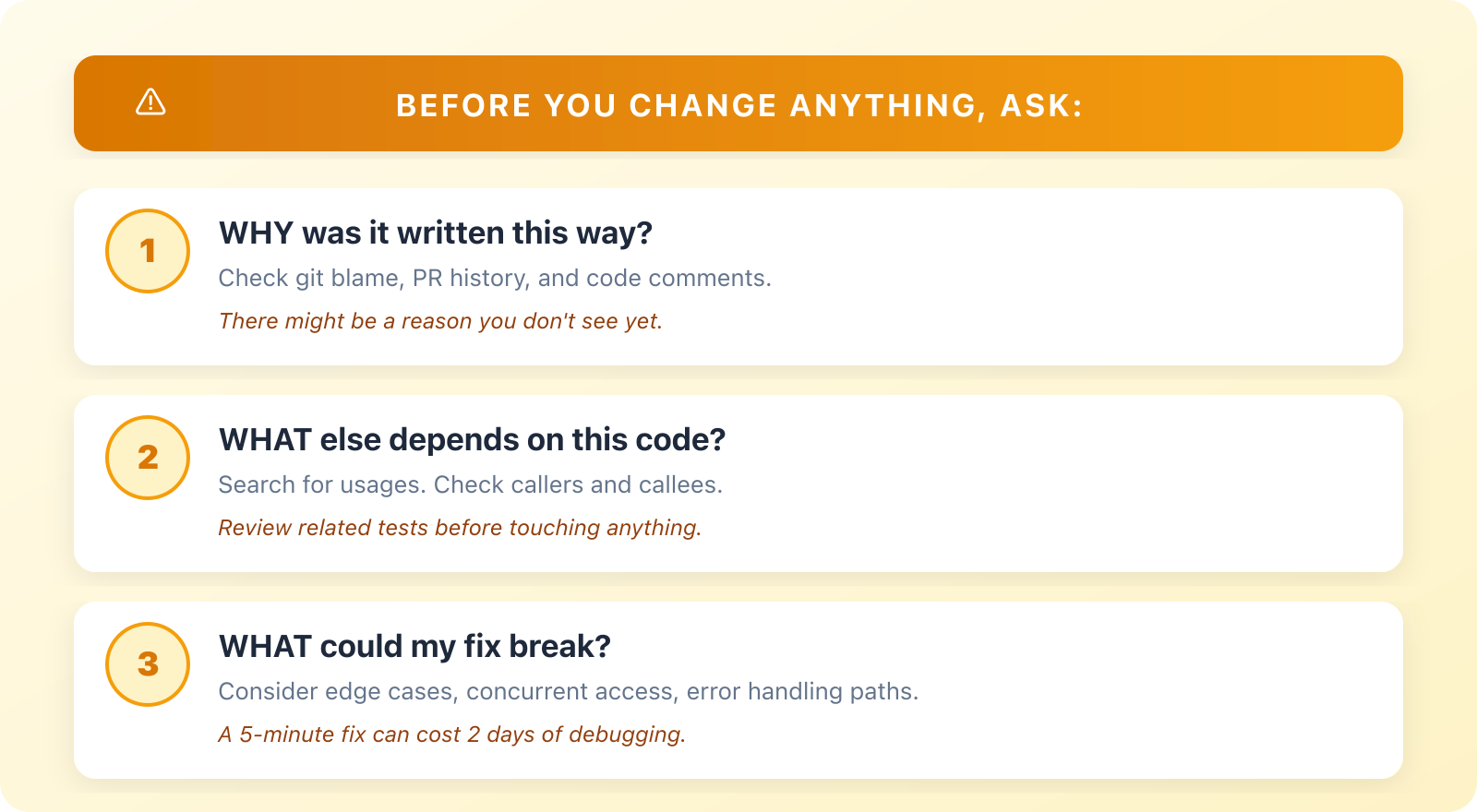
You found the broken line. Don’t change it yet.
This is where experienced engineers differ from juniors. Juniors fix fast. Seniors fix right.
The Three Questions Before Any Fix
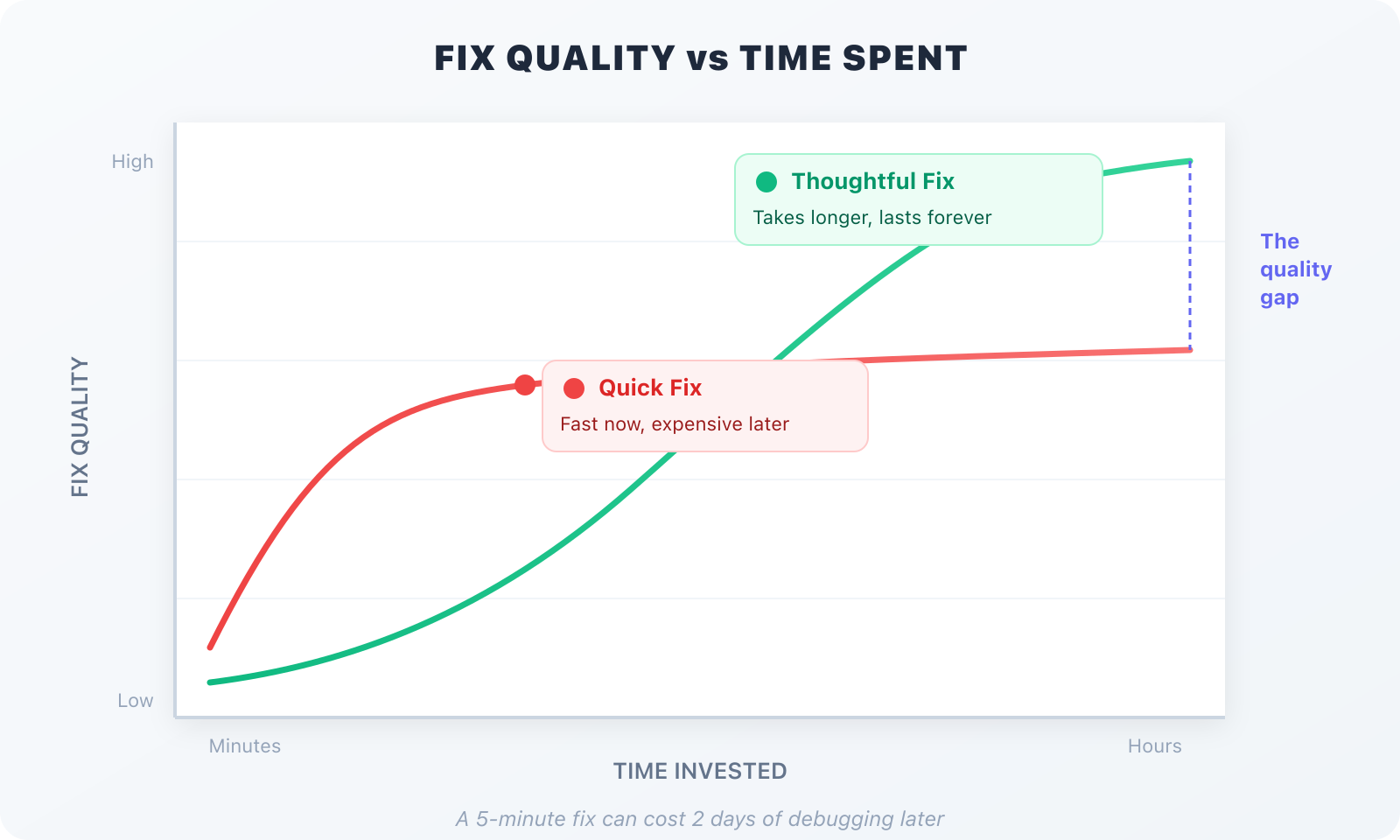
The Cost of Fast Fixes
Real Story
Early in my career, I found a bug where a function returned null instead of an empty array. Quick fix: add || [] at the end.
Shipped it. Felt good.
Two weeks later, another bug. Turns out, null was intentional—it signalled “data not loaded yet” vs “loaded but empty.” My “fix” broke the loading state for three other features.
The 5-minute fix cost 2 days of debugging.
Take the time to understand.
G — Go Prevent It
The bug is fixed. Tests pass. PR approved.
You’re not done.
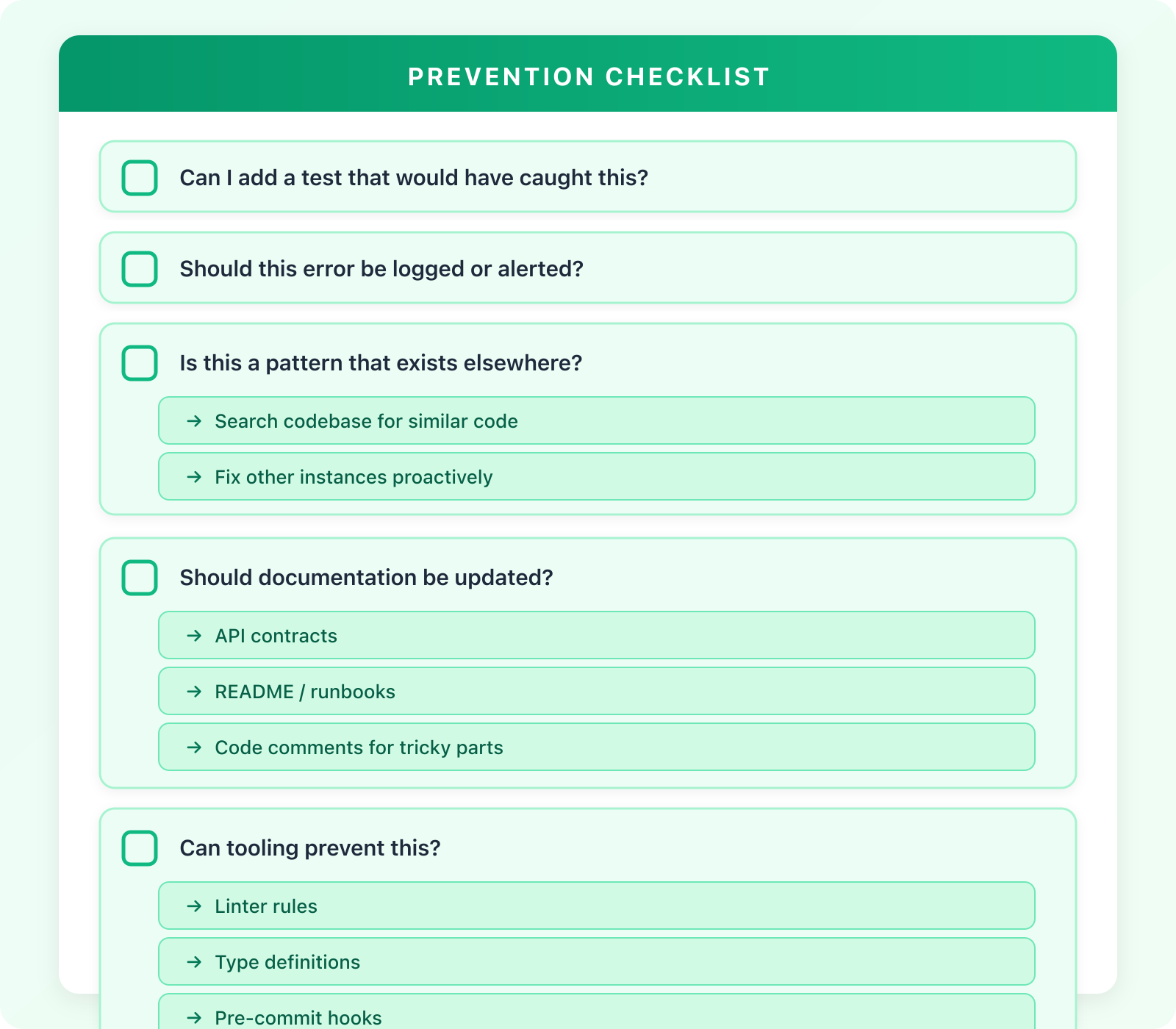
The Prevention Checklist
Before you close that PR, run through this checklist — it’s the difference between fixing one bug and eliminating a whole class of them.
The Multiplier Effect
One bug fixed = one problem solved.
One bug fixed + prevention = entire category of bugs eliminated.
Questions to Ask
“If a new engineer made this same mistake tomorrow, what would catch it?”
“How did this get past code review?”
“What would have helped me find this faster?”
Great engineers fix bugs.
Senior engineers make sure they don’t happen again.
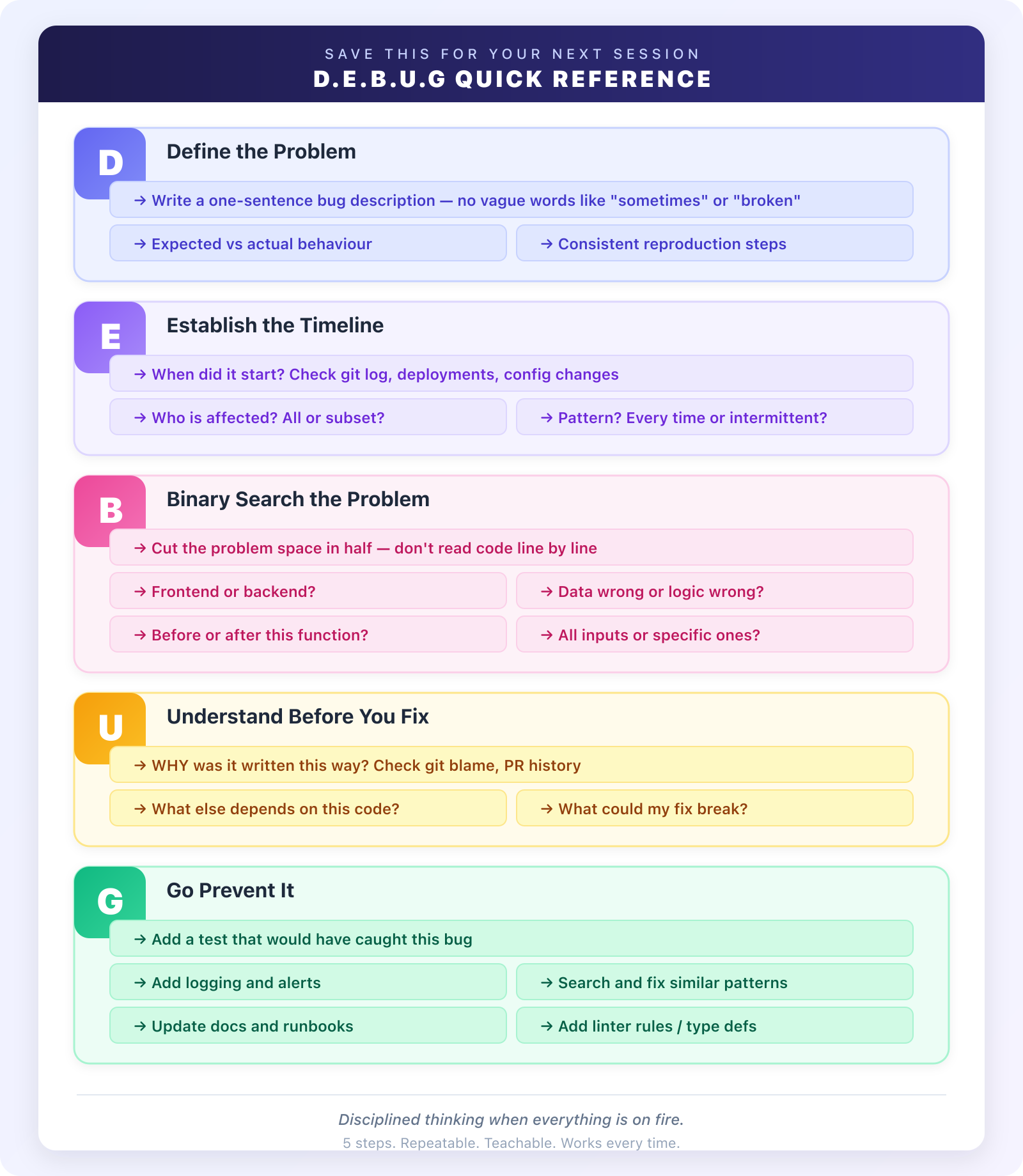
Quick Reference Card
Save this for your next debugging session:
Final Thoughts
The best debugging skill isn’t knowing every tool or memorizing stack traces.
It’s disciplined thinking when everything is on fire.
The D.E.B.U.G framework gives you that discipline. It forces you to slow down at the right moments and speed up at others.
For junior engineers: This framework will make you look more experienced than you are. While others are randomly adding print statements, you’ll be systematically isolating the problem.
For senior engineers: Use this to mentor your team. When someone is stuck, walk them through these steps. It’s a teachable, repeatable process.